
Block executable attachments in Jira
Jira Cloud cannot block a file type on its own, and a rule on the extension only stops files that are named honestly. A renamed executable still starts with its real bytes. REGULIT reads them, next to extension and declared type, and blocks or holds a file that does not match.
File type control, not a virus scanner
A file can be renamed in a second.
Three things describe an attachment. Only one of them is hard to fake.
The extension.
Part of the file name. Anyone can change it, and Jira takes it as given.
The declared type.
The mimetype the upload reports. It usually follows the extension, so a renamed file declares the wrong type too.
The first bytes.
Every format starts with its own signature. 4D 5A is a Windows executable, whatever the name says.
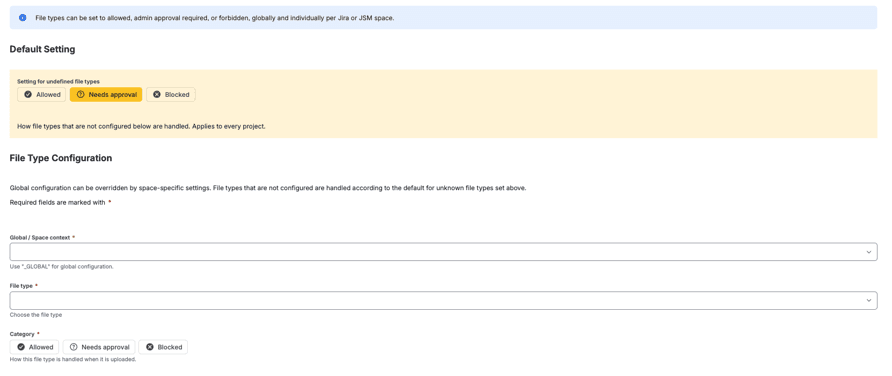
Set executables to Blocked.
Give executable types the category Blocked for the whole site. A type that is not preset can be added under Create file types, by mimetype and extension.
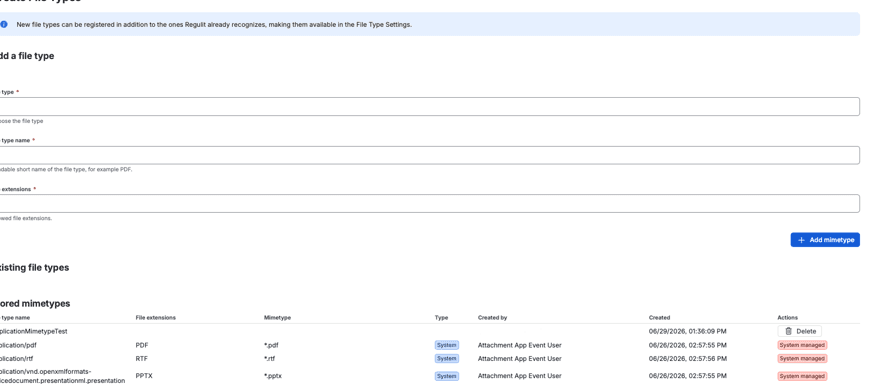
REGULIT compares all three.
The content check reads the first bytes of every file that is not Blocked and compares them with extension and mimetype. A mismatch is treated as a disguise.
Files above 50 MB are not read. For plain text, the extension decides.
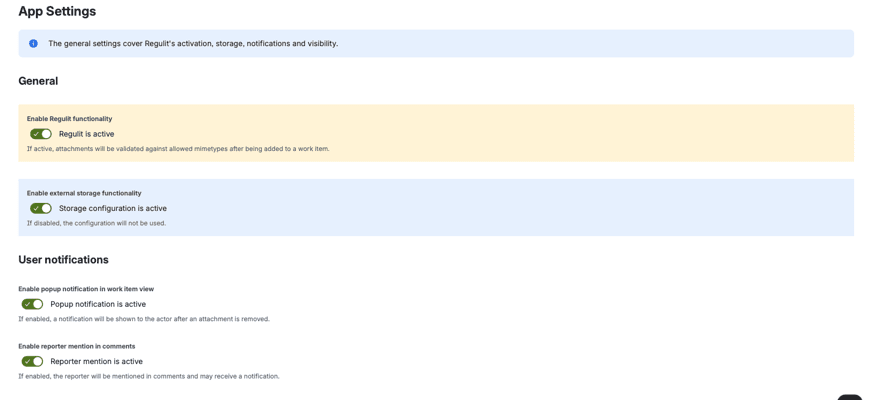
You decide what a disguise costs.
One option in App settings sets the outcome of a mismatch.
Block on mismatch on.
A disguised file is blocked at once and not kept.
Block on mismatch off.
It goes to review and waits in your storage until someone decides. Without storage, it is removed.
The uploader is named.
When the check finds a disguised file, the comment always names who uploaded it.
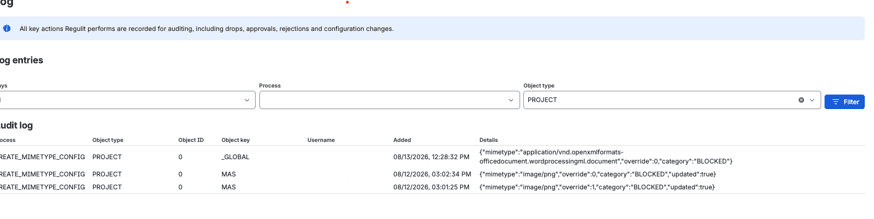
Every decision lands in the log.
The log records file, file type, rule, person and time, so the answer to an auditor is a filter and not a search.
File type control, not malware scanning.
REGULIT decides by type and signature. Two things it does not do.
No virus scan.
A PDF with a harmful payload is still a PDF. Keep your antivirus and endpoint protection, REGULIT does not replace them.
After the upload, not before.
A Forge app cannot sit in front of the upload. The file is on the work item for a moment before REGULIT removes it.
Questions about executables
Does REGULIT replace antivirus?
No. It checks file types and file signatures, not malware.
What happens to files above 50 MB?
They are not read by the content check. Under Needs approval they are removed without a copy.
Does the content check cover our own file types?
Your own types are matched on mimetype and extension only. The byte check covers the preset types.
Is the content check on by default?
No. Switch it on in App settings, together with the block on mismatch option.
Read on
Related questions.
Two more answers to the same kind of question.

Keep executables off your work items.
Set executable types to Blocked, switch on the content check and upload a renamed file in a test space.