
&w=3840&q=75)
video
One override in the HR space sends every attachment to review before anyone else opens it. Every other space keeps the site wide rule exactly as it was.
One override, one space
Three gaps, and none of them is solved by asking people to be careful.
Permissions on an HR space cover more people than the ones handling the case. An attachment is open to all of them from the first second.
Spotting the scan of a passport in an application means opening each file. That work has no owner, so it does not happen.
Removing it afterwards means retracting, re-permissioning and explaining. By then the file has been on the work item for weeks.
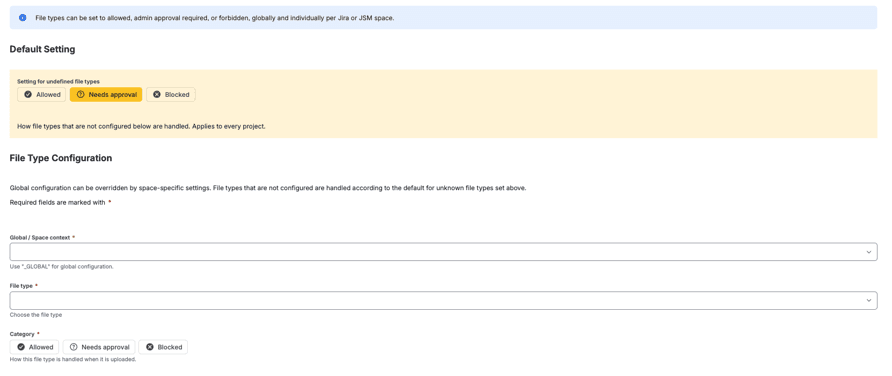
The site wide rule stays as it is. The HR space sets the types it receives to Needs approval, and from then on nothing stays on a work item unread.
A file in Needs approval is taken off the work item and kept in the storage you connected, in your own cloud account, until someone decides.

Regulit holds, restores or deletes a file. It never edits one. If an application carries something that should not have been sent, the honest path has three steps, and each of them is recorded.
Rejecting deletes the stored copy. Nothing goes back onto the work item, and the decision stays in the log.
Whoever handles the case uploads the redacted copy like any other file. It follows the same rule as the first one.
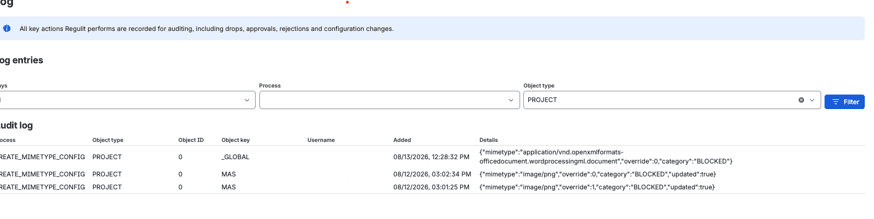
The log names the file, the space, the rule and the person who decided, with a timestamp.
Without connected storage nothing can be held. Needs approval is then handled like Blocked: the file is removed, and the comment says so. Connect storage before you switch the rule on.
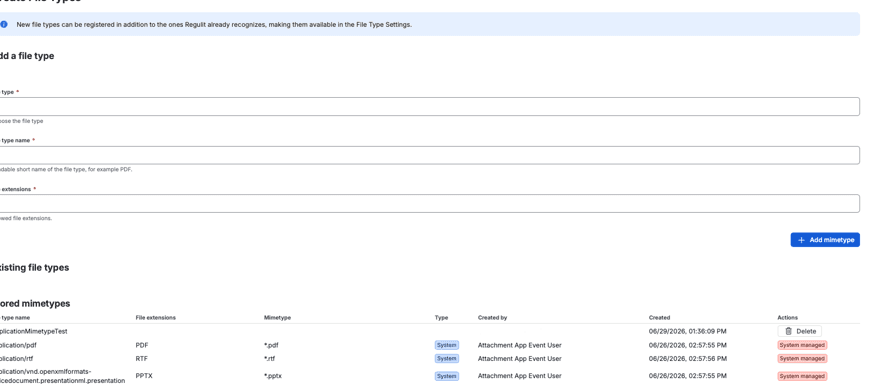
Yes. Set the file types in the HR space and tick Override global configuration. Every other space keeps the global rule.
Space admins of the HR space, and service desk agents if you allow it. A Jira admin also needs Administer spaces there.
In your own Amazon S3, Google Cloud Storage or Azure Blob Storage. Regulit keeps no copy.
No. It holds, restores or deletes a file. It never edits one.
The file is deleted after the review window, 10 days by default. You set it in the storage configuration.
Read on
This page argues the case for holding uploads in one space. What the app does with a held file, and what it takes to switch it on, each have a page of their own.
With storage connected, set one file type to Needs approval in a test space and upload a file. It leaves the work item and appears in the approval queue.
&w=3840&q=75)
&w=3840&q=75)