

&w=3840&q=75)
video
A plan pasted in, a deck attached for reference, a budget sheet that quietly becomes the version people work from. Set those formats to blocked in your delivery spaces and the board points at the document instead.
Screenshots, logs and exports pass through
It happens one convenient upload at a time, and the cost shows up a quarter later.
A sheet goes on the work item for reference. Three weeks later it is the sheet people plan against, and it has not moved since.
The same plan sits on several tickets in several states. Opening all of them is the only way to find out which one is current.
A new lead opens the project and finds attachments instead of documents. Finding the maintained one takes longer than writing a new one.
Set the document types to blocked for your delivery spaces. Blocked means the attachment does not stay and no copy is kept, so nobody can quietly work from it later.
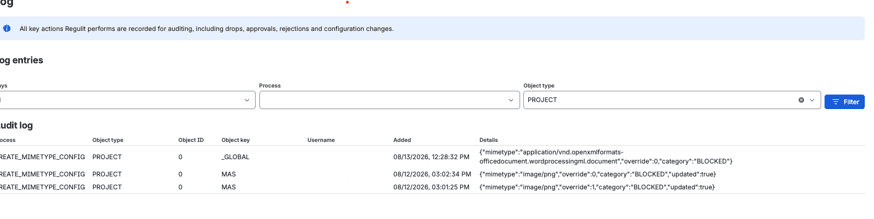
Nothing disappears quietly. The person who attached the file reads the reason on the work item, and the removal goes into the log.
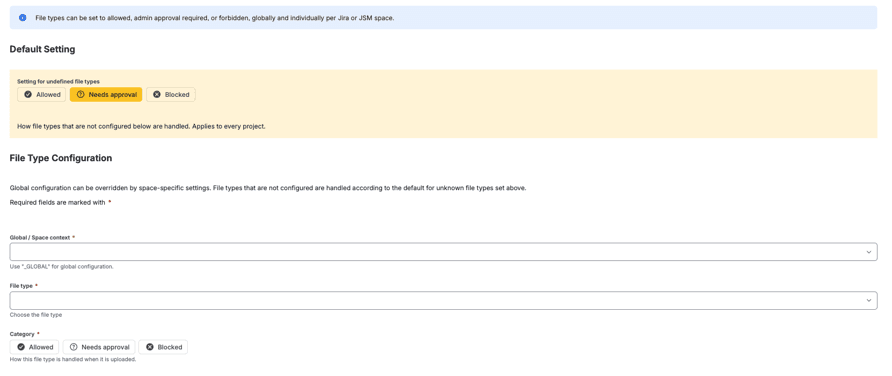
Every file type carries one of three categories, set for the site and overridable per space. Choosing the wrong one is the mistake worth avoiding here.
The file arrives on the work item and stays.
The file leaves the work item and waits in your storage until someone approves or rejects it.
The file leaves the work item and no copy is kept. There is nothing to restore afterwards.
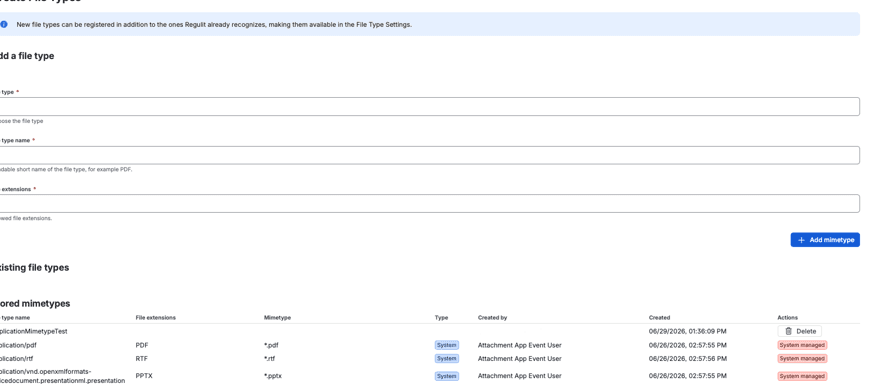
A file type nobody has configured follows Setting for undefined file types, which ships as Needs approval. Without connected storage that means removed, so set the default before you switch Regulit on.
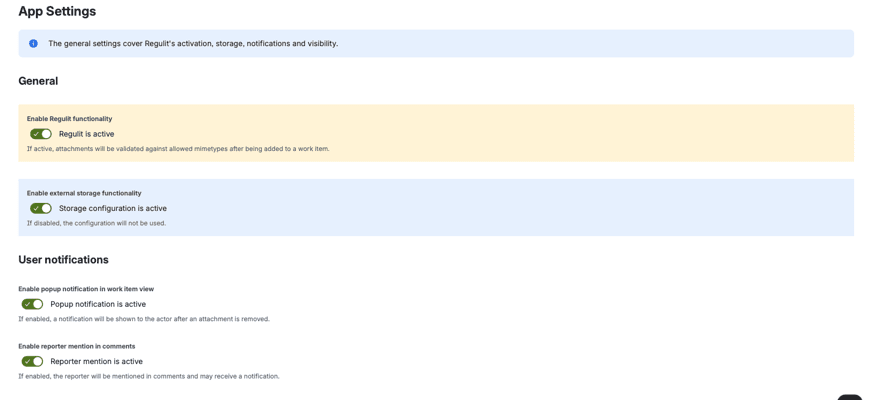
Yes. Set the global rule, then override it in the spaces that need something else.
No. Blocked keeps no copy. Use Needs approval with connected storage if the file should be held.
They stay. A rule applies to new uploads.
It follows the .xlsx rule. If macros must never reach a work item, give .xlsx, .docx and .pptx the same category as the macro formats.
Yes. Only types set to Blocked or Needs approval are taken off.
Read on
This page argues the case for keeping documents off the board. What the app does with a blocked file, and what it takes to switch it on, each have a page of their own.
Set a single document type to Blocked and attach one. The file leaves the work item and the comment names the rule.
&w=3840&q=75)
&w=3840&q=75)