
Your attachment policy, enforced on every upload.
Jira Cloud accepts any file type. REGULIT removes or holds what your rules do not allow and logs who uploaded them.
Forge app for Jira Cloud, JSM and JPD. Held files stay in your own cloud.
One setup. Adjustable for each team.
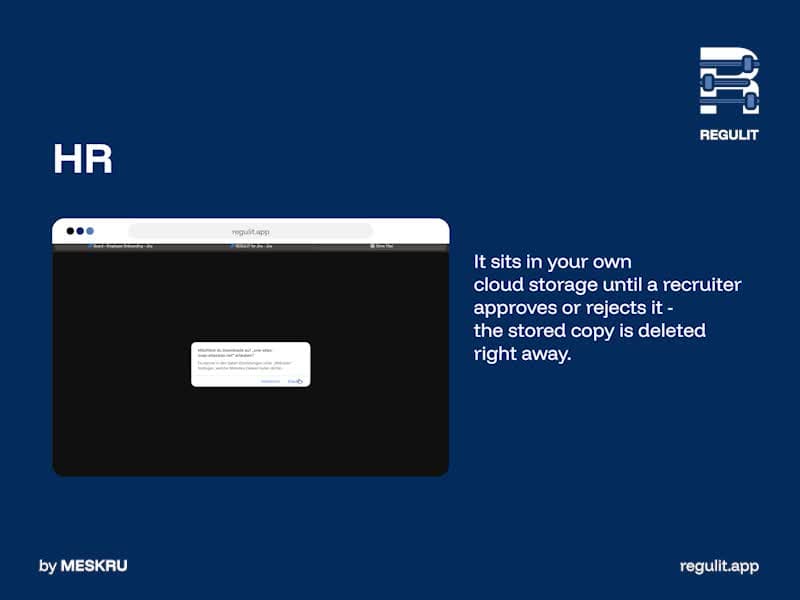
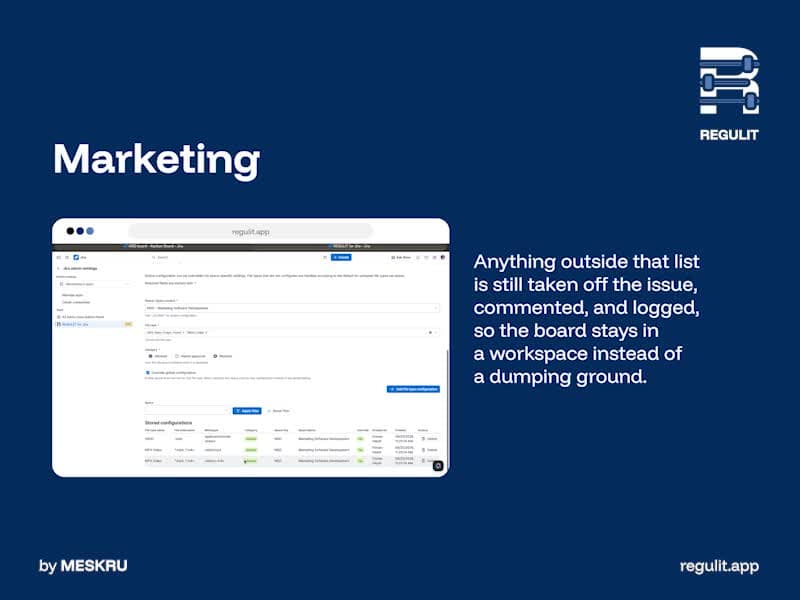
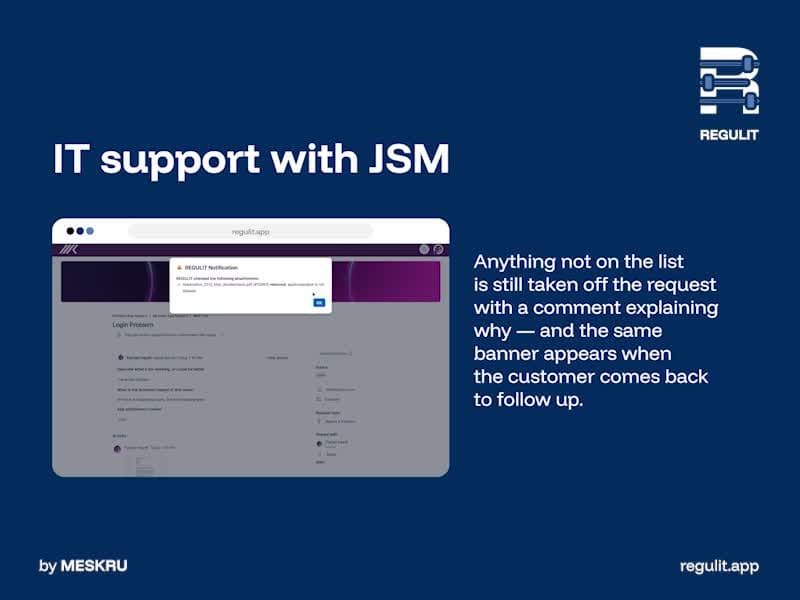

Set site-wide rules and add exceptions per space
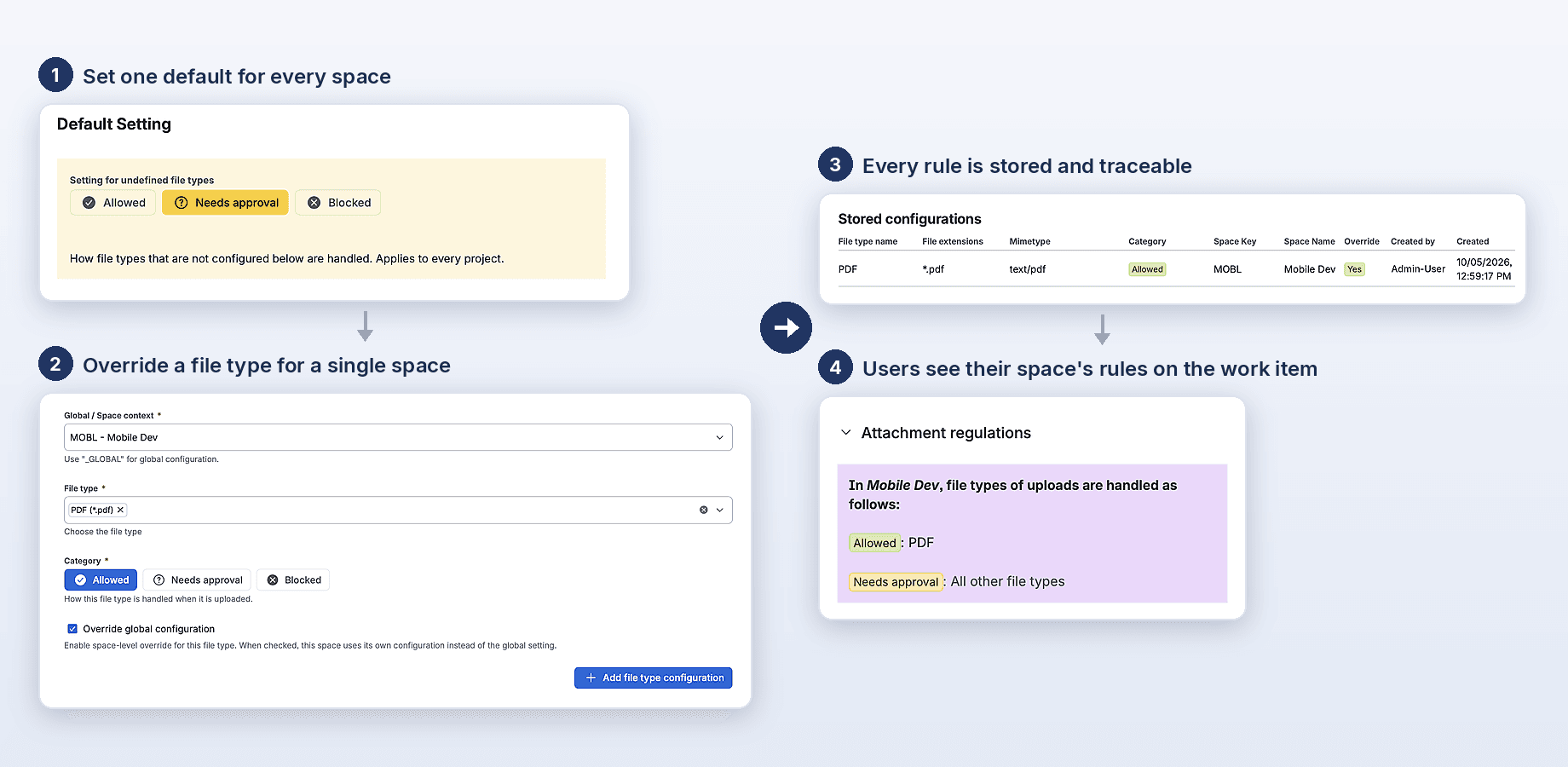
Decide how REGULIT handles file types you have not configured, then set rules for the whole site. Tick Override global configuration to give a single space its own, stricter or looser rule.
- Set one default for every space
- Override a file type for a single space
- Every rule is stored and traceable
- Users see their space's rules on the work item
Type and extension are compared, the stricter rule wins.
Keep unwanted file types out automatically
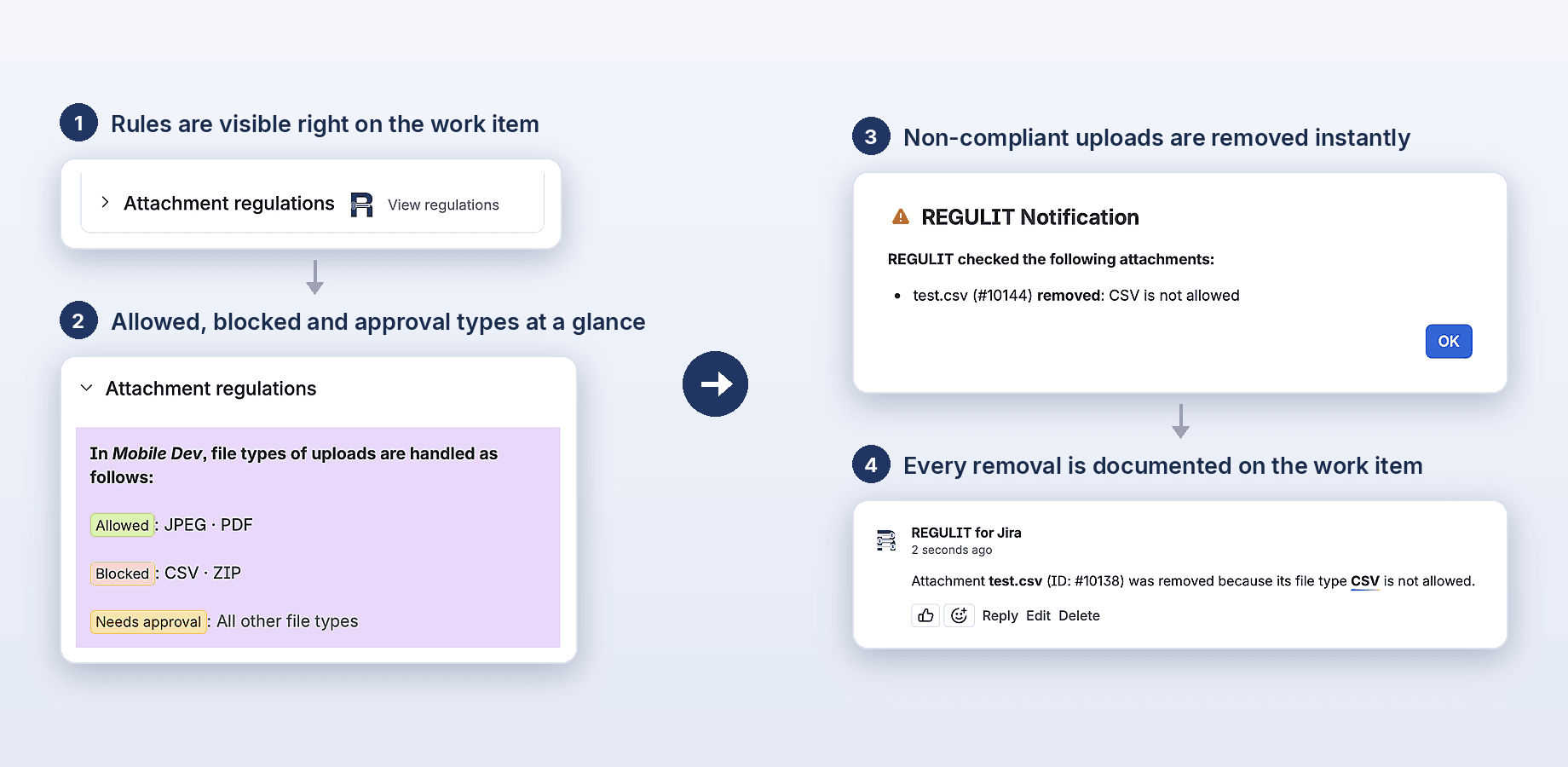
Set any file type to Blocked for the whole site or for a single space. REGULIT removes the file right after upload, explains why in a comment on the work item and optionally shows a popup to the uploader.
- Rules are visible right on the work item
- Allowed, blocked and approval types at a glance
- Non-compliant uploads are removed instantly
- Every removal is documented on the work item
Hold files for review in your own storage
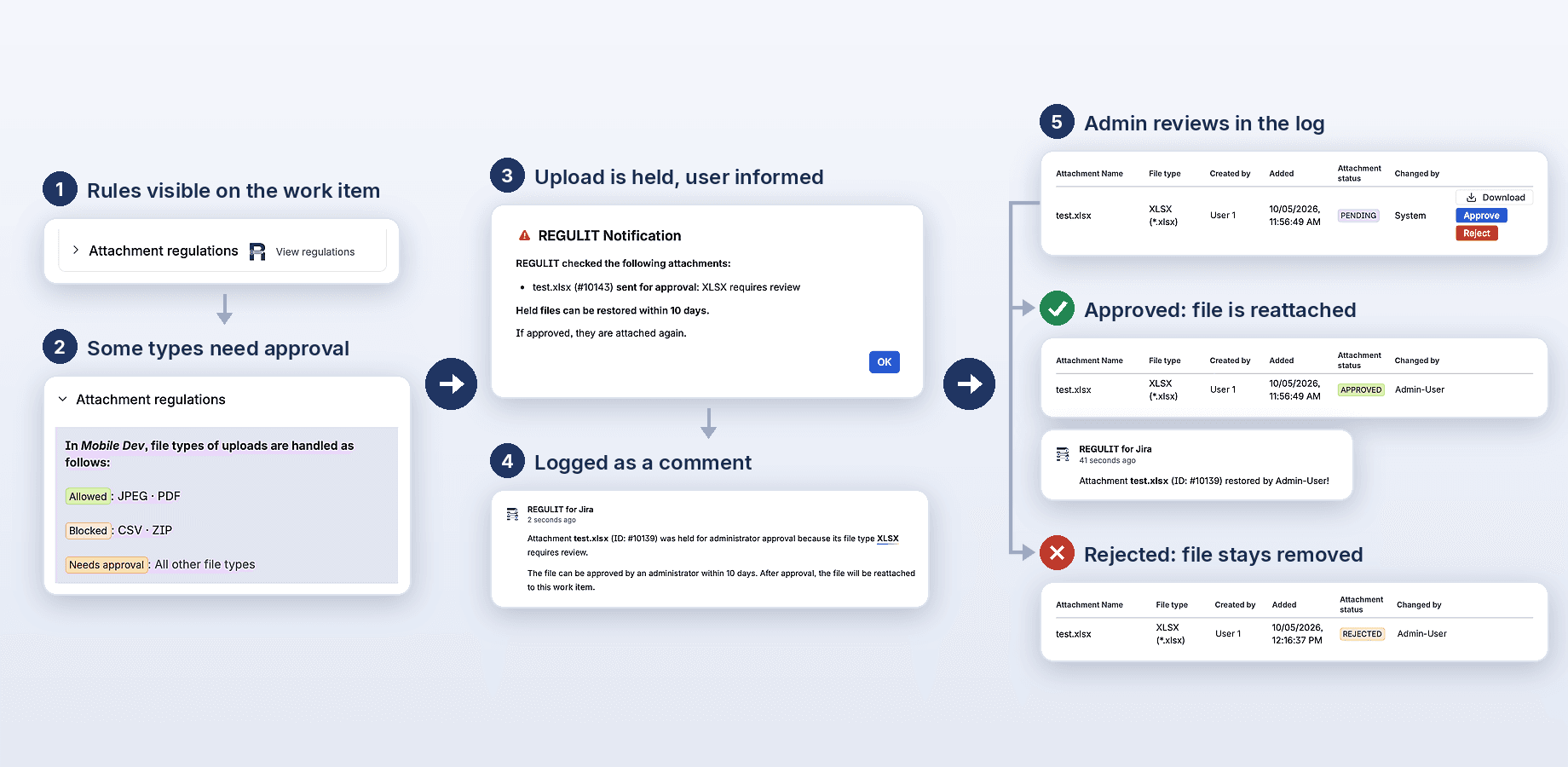
Files set to Needs approval wait in your own cloud storage until a space admin checks and approves or rejects them. Bonus: if activated, the content check also blocks or holds and flags files that do not match their type.
- Rules visible on the work item
- Some types need approval
- Upload is held
- Optional popup
- Logged as a comment
- Admin reviews in the log
Until a storage is connected, Needs approval is handled like Blocked.
The name can lie. The bytes cannot.
REGULIT compares extension, declared type and the first bytes of every file that is not Blocked.
What the bytes say
4D 5A marks a Windows executable, whatever the name says.
When they disagree, REGULIT blocks the file or sends it to review.
Written to the log either way.
Held files stay in your cloud.
REGULIT stores no file content.
| Storage | Amazon S3, Google Cloud Storage or Azure Blob Storage |
|---|---|
| Connector | Deployed by you, in your cloud account |
| Authentication | Every request is signed (HMAC) |
| Transfer | Signed URLs, directly between Jira and your bucket |
| Retention | 10 days by default, adjustable |
Limits, stated plainly
Does REGULIT stop the upload?
No. It removes the file right after the upload, so it is visible for a moment.
Can I set a size limit?
No. The one fixed limit: files above 50 MB cannot be held for approval.
Does it replace antivirus?
No. It checks file types, not malware.
Who can approve held files?
Space admins, and service desk agents if you allow it.
Can I export the log?
Not yet. You can filter it in the app.
Set your rules. Then switch it on.
22 file types are preset after install.